Tessavra Agent · Notetaker
Meeting notes that never start without you.
Notetaker captures the meetings you attend from your own Mac. Nothing records until you say so, and every note stays yours to share.
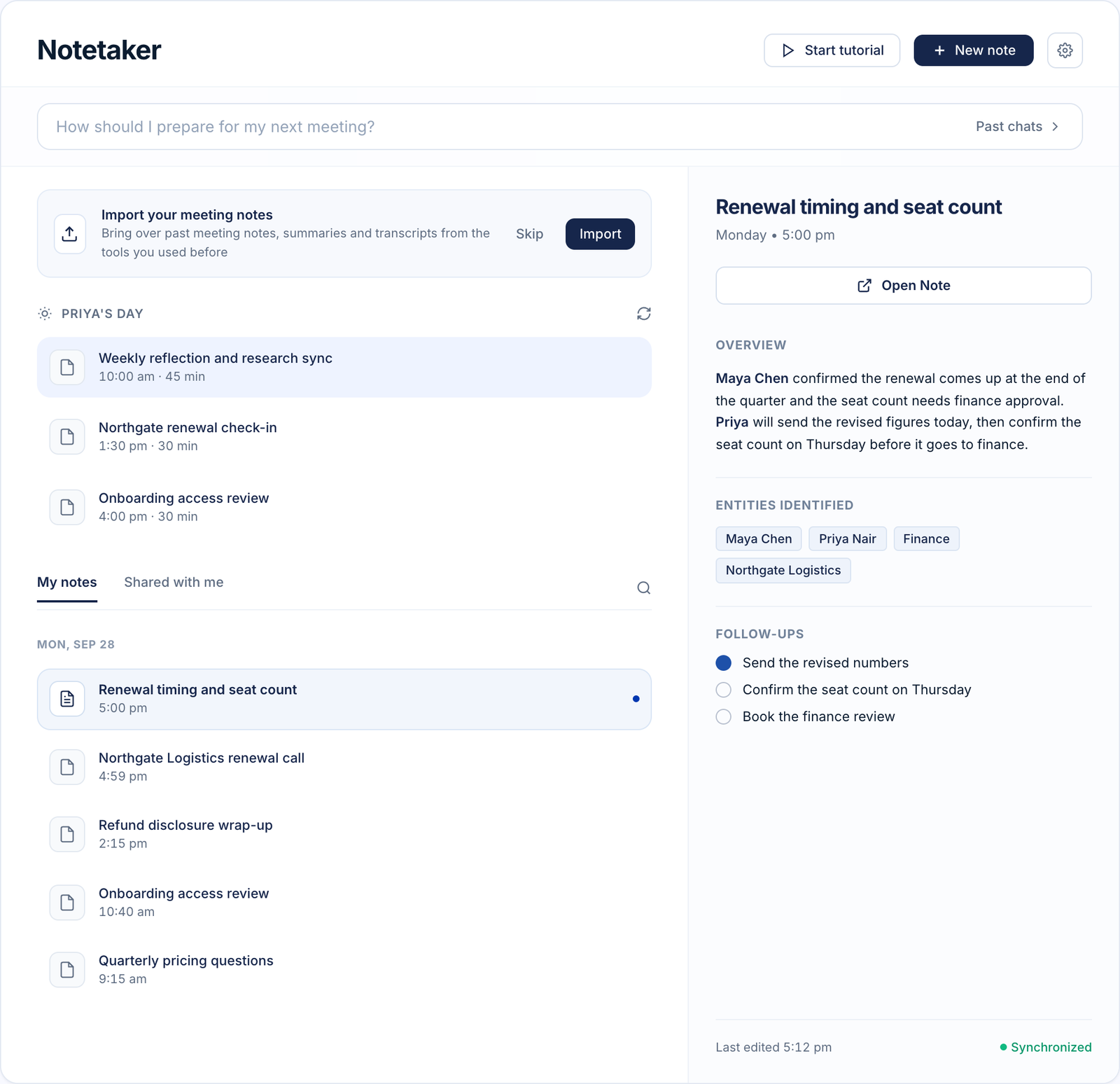
An interactive Notetaker demo. When your meeting takes the microphone, the capsule asks whether to start. Choose Start, Snooze or Not now. After Start, the note fills in with a title, speakers and follow-ups. Switch the note between private and invited people, tick follow-ups, write a Private Thought, and switch to what others see to check it is left out.
Your meetingMicrophone in use
Your meeting took the microphone. Nothing records until you choose.
Nothing is recording.
The Panel opens on Notes when you choose Start.
Current limits
- Private notes are kept out of shares, copies and emails. Their author can still export their own.
- Summaries are generated by an AI model and have not been through a quality evaluation.
Illustrative interface — fictional demonstration data.
You start it
Nothing records until you start it.
Start from the Bar or with a shortcut. When your meeting app takes the microphone, the Bar asks whether you want notes. Start opens the Panel on Notes, and Snooze gives you two minutes.
- Start from the Bar or a shortcut
- A prompt when a meeting begins, never an automatic recording
- Snooze for two minutes
It checks in
It asks before it stops.
Notetaker checks in before it ends anything. If the room goes quiet, if people leave early, or if the meeting runs past its scheduled end, you get a prompt. If a note does end on its own, you can resume it.
- “Still going?” after ten minutes of quiet
- A prompt when a meeting runs past its scheduled end
- Resume for two or ten minutes after an automatic end
- A maximum note length
Titled and summarised
Titled, transcribed and summarised.
Meetings get a title automatically, and a title you type always wins. Speakers are named after the meeting ends, and the summary lists what was decided and who owes what. Edits you make to a summary stay until you choose to replace them. Summaries are AI-generated and have not been through a quality evaluation.
- Automatic titles, yours always win
- Speaker names added after the meeting
- Overview, people and follow-ups
- Your edits to a summary are kept
Private Thoughts
Private Thoughts stay private.
Add thoughts only you should see. They are kept out of shares, copies and emails. The person who wrote them can still export their own.
- Kept out of shares, copies and emails
- The author can export their own
- Visible only to their writer
Sharing
Share it the way you mean to.
Every note starts private. Share it with the people you choose, or give anyone with the link the summary. Sharing with attendees automatically is off by default.
- Private, invited people, or a link to the summary
- The link shows the summary only
- Auto-share with attendees is off by default
Built to ask first.
Asks before it starts
A prompt when a meeting begins. Recording starts only when you start it.
A maximum length
A cap on each note, so a forgotten meeting does not run on.
Yours to share
Private by default, with Private Thoughts kept out of shares, copies and emails.
More in Tessavra Agent.
The rest of the platform.
Common questions
Does Notetaker join my meeting?
No. Nothing joins as a participant. Notetaker listens through your own Mac. It is macOS only.
Does it start recording on its own?
No. It asks when a meeting begins, and recording starts only when you start it.
Who can see my notes?
You, until you share a note. Private Thoughts are kept out of shares, copies and emails, and the person who wrote them can still export their own.
Can my admin change how it behaves?
Your organisation can lock some settings for a team. Locked settings stay visible with a note that your organisation manages them.
Talk to us about this.
Notetaker is in development. Tell us what you want it to do and we will say plainly where it stands.
Register interest